
MX3 Pro Hydration Testing System
$1,840.00
$2,024.00 including GST
Details
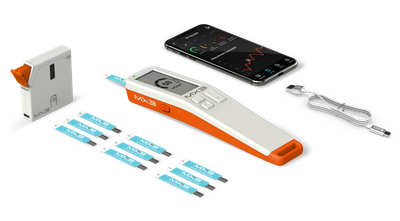
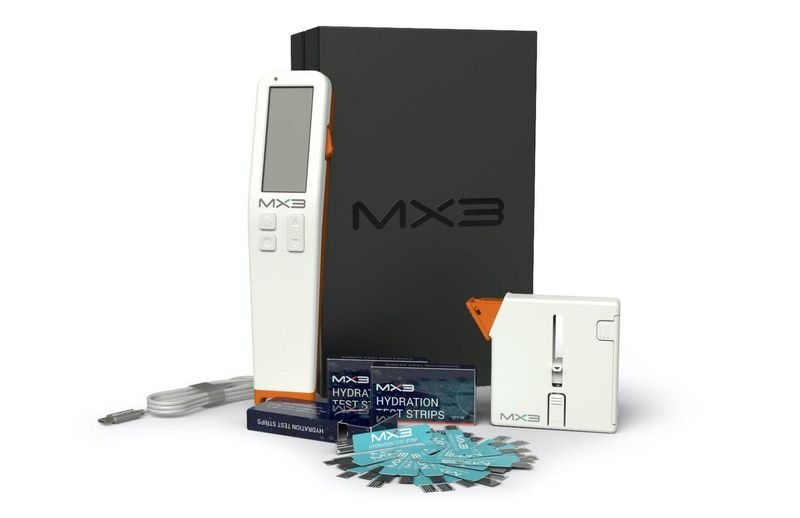
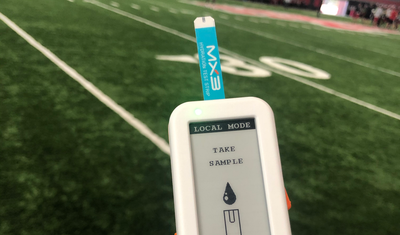
The world’s first Electrochemical Test Strip for Salivary Osmolarity testing. The MX3 Hydration Tester is a smart, handheld device that checks hydration levels with a quick saliva osmolarity test. The higher the level of osmolarity (the higher the reading on the device), the higher the level of dehydration. Use the MX3 to support the health and wellbeing of your workplace. Who uses the MX3 Pro? Industries where employee hydration is key for productivity, safety and efficiency. Workplaces with employees in physically demanding roles and those exposed to sun, humidity or cold weather, use the device. The MX3 is widely used in the mining industry in Australia. Why choose the MX3 Pro? The MX3 is fast, easy to use, and connects to your phone to provide instant, accurate results. It is a non-invasive way to test for hydration and doesn’t have the complexities of collecting a urine or blood sample. You also get the results in seconds. This system is scientifically proven to measure biomarkers from saliva as accurately as a laboratory osmometer. The MX3 Pro Hydration Testing System consists of six components: 1) MX3 LAB 2) MX3 Hydration Test Strips 3) MX3 Dispenser 4) MX3 App 5) Charging Cable 6) MX3 Portal (on personal online device) 7) Travel Case (Optional) Check out the MX3 Care Plan package here to find out about protection for accidental damage to your device or you can purchase additional saliva testing strips here. Contact us on 1300 79 70 30 to find out more. REMINDER Just a quick reminder to make sure your MX3 Hydration device is running the latest firmware. You can check your app to see if you are using the most up-to-date version. MX3 Diagnostics are continually improving these devices including bug fixes and performance enhancements. In some cases, if you’re experiencing issues or seeing error messages, this may be due to outdated firmware. The best way to keep your device working reliably is to complete regular firmware updates. Please find a short video that walks you through the update process: https://youtu.be/lIwpll0_BYo